Description
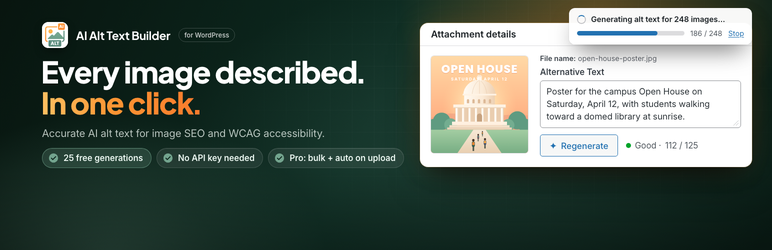
AI Alt Text Builder writes accurate, descriptive alt text for the images in your Media Library, in one click or in bulk.
Images without alt text cost you twice. Search engines cannot tell what the image shows, so it ranks lower in Google Images, and screen reader users hear nothing at all. Accessibility standards such as WCAG 2.1, which both the ADA Title II rule in the US and the European Accessibility Act in the EU build on, require a text alternative for every meaningful image.
Start free in seconds: 25 free generations, no sign-up and no API key. Prefer your own OpenAI API key? Then single-image generations are unlimited, and you only pay OpenAI’s usage.
Fixing hundreds of images? Pro writes alt text for your whole Media Library in bulk and can fill it in automatically on every new upload. Plans start at $2.99/month, billed yearly. See pricing
Highlights
- Works instantly – no registration required, 25 free tokens on first use
- BYOK mode – use your own OpenAI API key for unlimited single image generations
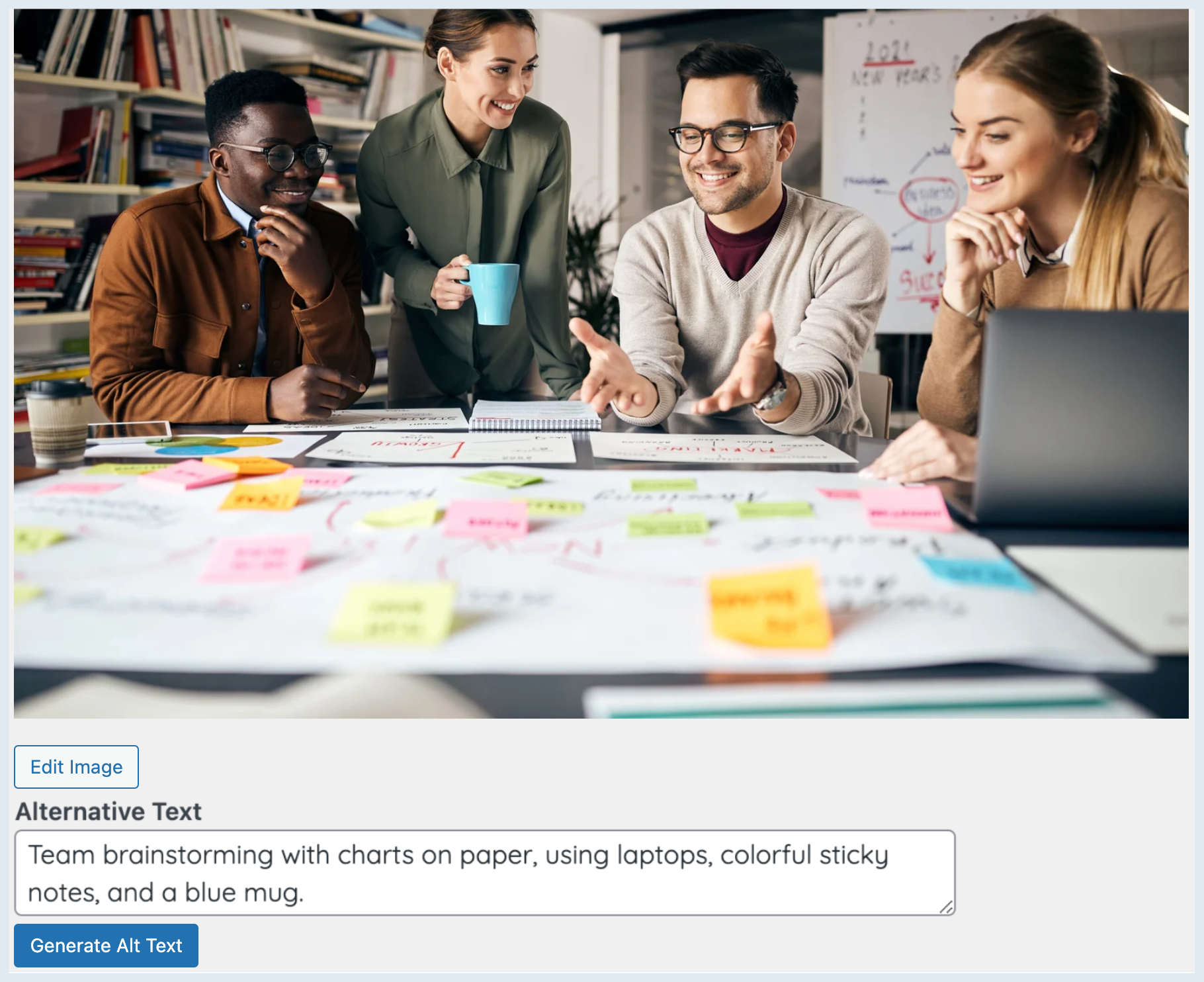
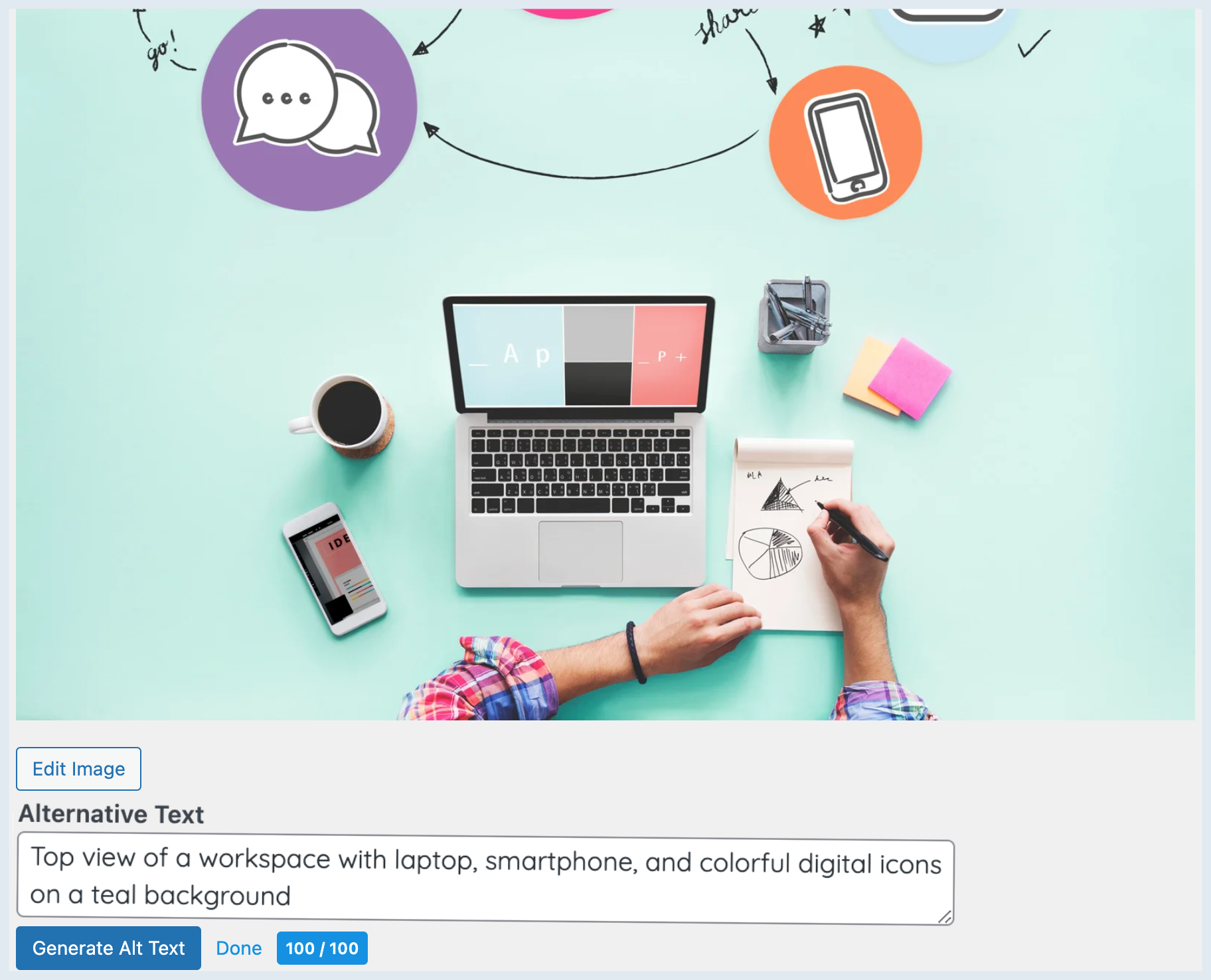
- One-click “Generate with AI” button on Media Library items and the attachment edit screen
- Automatically saves to
_wp_attachment_image_alt - Built-in ALT-length score badge (0-100) and a sortable Media Library column, so missing or weak alt text is easy to find
- Works with every image in the Media Library, including WooCommerce product images, and with any theme, page builder or SEO plugin
- Pro: Bulk generation, auto-generate on upload, all languages, all models, custom prompts
- Language selector (English, Deutsch, Francais, Espanol, Turkce, or custom)
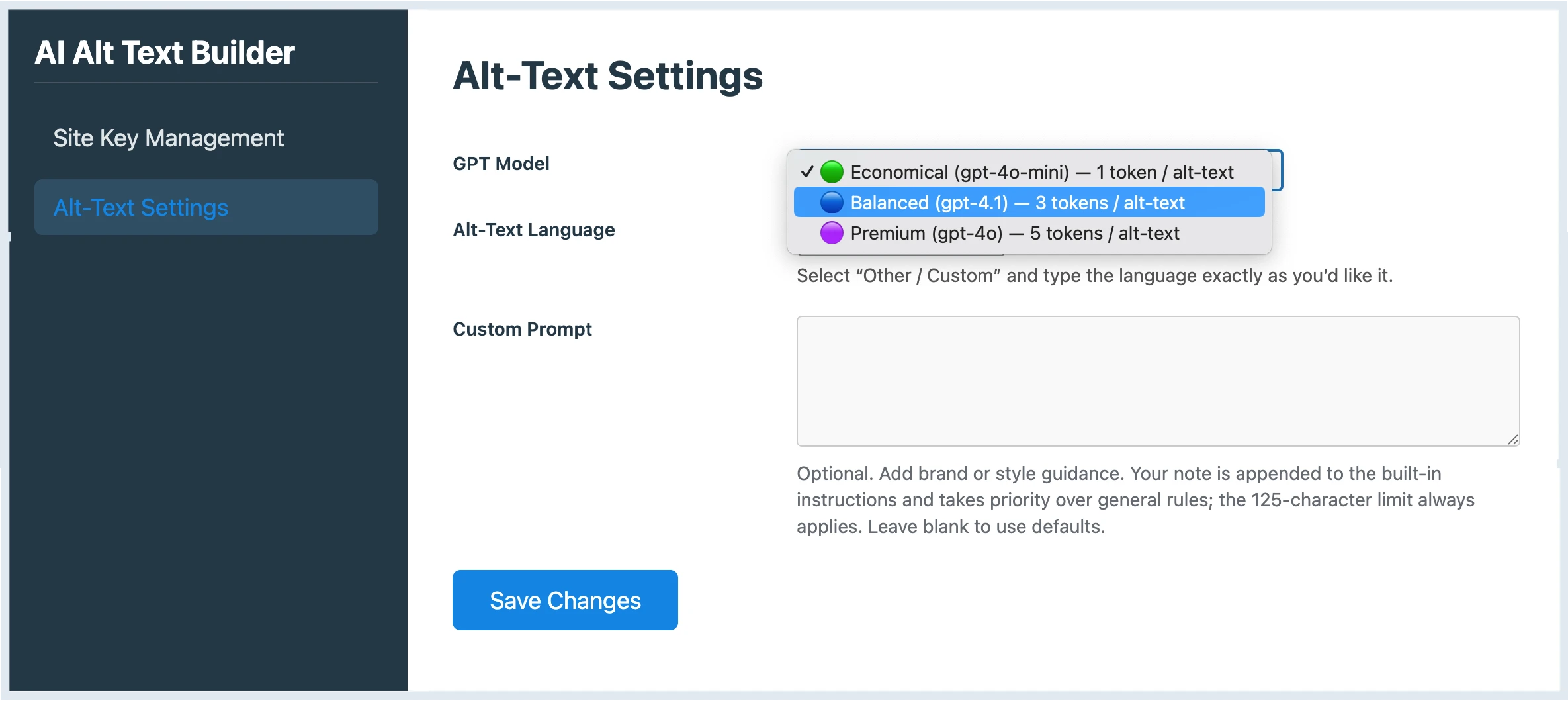
- Three quality tiers: Economical, Balanced, Premium
External services
This plugin connects to RankPilotAI’s API to generate ALT text and to fetch token status.
What is sent and when
- Trial mode: Site URL is sent to RankPilotAI for registration. Image URL is sent to RankPilotAI for processing.
- BYOK mode: Image URL is sent directly to OpenAI’s API using your own API key. Nothing is sent to RankPilotAI.
- Pro mode: Image URL, file name, current ALT, selected model, language, the instruction prompt and your custom directives, site URL, domain, plugin slug, and Site Token are sent to RankPilotAI.
- On token-status checks (Pro mode only: on the settings page, before each generation, at the start of a bulk job and when auto-generating on upload): Site Token, site URL, domain, plugin slug, selected quality tier and your custom directives.
- Pro mode with an institutional site key (a key that starts with
rpedu_): the same data as in Pro mode, including the token-status checks, is sent to that institution’s own RankPilotAI API atedu-<institution>.rankpilotai.cominstead of rankpilotai.com.
Why it is sent
- To generate the requested ALT text and return it to your Media Library item
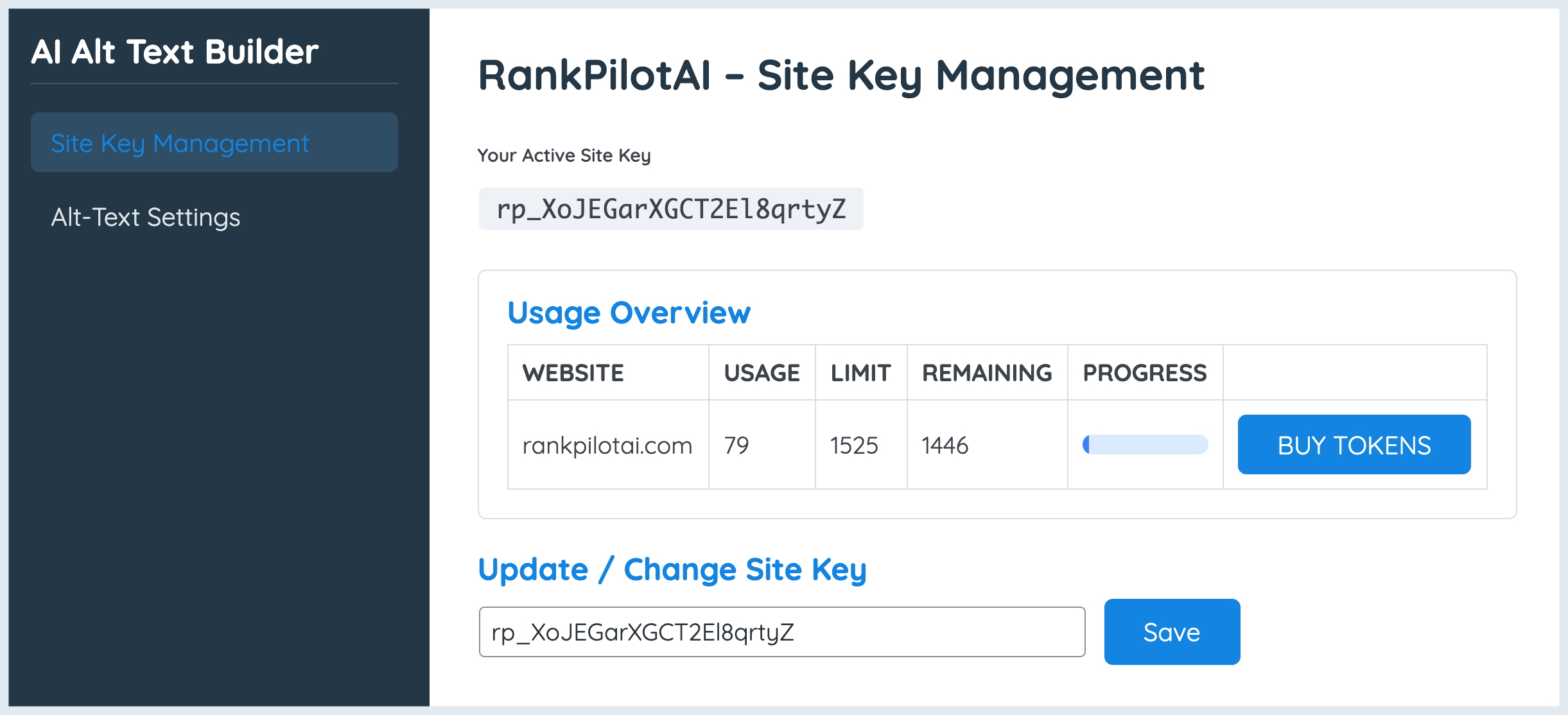
- To authorize usage and show your remaining balance (Pro mode)
- To register and track trial token usage (Trial mode)
Endpoints
- https://rankpilotai.com/wp-json/rankpilotai/v1/alt-text (Pro)
- https://rankpilotai.com/wp-json/rankpilotai/v1/alt-batch (Pro bulk)
- https://rankpilotai.com/wp-json/rankpilotai/v1/token-info (Pro)
- https://rankpilotai.com/wp-json/rankpilotai/v1/trial-register (Trial)
- https://rankpilotai.com/wp-json/rankpilotai/v1/trial-alt (Trial)
- https://api.openai.com/v1/chat/completions (BYOK – direct to OpenAI)
https://edu-<institution>.rankpilotai.com/v1/alt-text,/v1/alt-batchand/v1/token-info(Pro with an institutional site key only)
Providers
- RankPilotAI (Terms: https://rankpilotai.com/terms-and-conditions, Privacy: https://rankpilotai.com/privacy-policy)
- Anthropic (Claude API): in Trial and Pro mode the RankPilotAI API passes the image URL and the instruction prompt to Anthropic to generate the ALT text. Terms: https://www.anthropic.com/legal/commercial-terms, Privacy: https://www.anthropic.com/legal/privacy
- OpenAI: used by the RankPilotAI API as an automatic fallback when Anthropic is unavailable, and called directly from your site in BYOK mode. Terms: https://openai.com/policies/terms-of-use, Privacy: https://openai.com/policies/privacy-policy
- RankPilotAI institutional API (
edu-<institution>.rankpilotai.com): a separate API for each institution, run on Cloudflare Workers for institutional plans. It is used only with institutional site keys: with any other site key, and in Trial or BYOK mode, nothing is sent to it. It receives the Pro mode data listed above and passes the image URL and the instruction prompt to Anthropic (Claude API) for processing in the US; it does not use OpenAI. Terms: https://rankpilotai.com/terms-and-conditions, Privacy: https://rankpilotai.com/privacy-policy/
Data stored on your site
The activity log (AI Alt Text Builder > Activity log) stores, in your own WordPress database only: the date, the user name, the action, the image ID, a short detail (mode, quality tier, result and, when the plugin replaces existing alt text, the previous text) and the IP address of the request. If you turn it on, it also records WordPress sign-ins, sign-outs and failed sign-ins (with the user name that was tried). Entries are deleted automatically after 365 days by default (you can choose 30 to 3,650 days) and the table is removed when you delete the plugin. Nothing from the log is sent to RankPilotAI.
Screenshots
Installation
- Upload and activate the plugin.
- Go to AI Alt Text Builder in the admin menu.
- Choose your mode:
- Free Trial – Click “Start Free Trial” for 25 free tokens (no registration needed)
- Own API Key – Enter your OpenAI API key for unlimited single image generations
- Pro – Enter your RankPilotAI Site Key for full features
- Open Media Library or an attachment and click Generate with AI.
FAQ
-
Do I need to register or create an account?
-
No. The free trial starts instantly with one click. For BYOK mode, just paste your OpenAI API key.
-
Is there a free plan?
-
Yes. 25 free tokens are included. After that, use your own OpenAI API key (unlimited, free) or upgrade to Pro.
-
Does it overwrite my existing ALT texts?
-
Only when you click Generate for a given image (or run a bulk action). It writes to WordPress’ standard
_wp_attachment_image_altfield. -
What languages are supported?
-
English, German, French, Spanish, Turkish — plus Other/Custom. Enter any language name and we’ll pass it to the generator.
-
Will it change image file names or titles?
-
No. It only sets the ALT text and stores a score
_aatb_scoremeta (for the badge/column). -
Does it work with other media/SEO plugins?
-
Yes. ALT text is a core WordPress field, so other plugins and themes will read it normally.
-
Does alt text help SEO?
-
Yes. Search engines read alt text to understand what an image shows, which helps the image appear in Google Images and gives the page more relevant context. Good alt text describes the image in plain words; it is not a place to stuff keywords, and the generator does not do that.
-
Does it help with accessibility compliance (WCAG, ADA, European Accessibility Act)?
-
It fills the text alternative that WCAG success criterion 1.1.1 asks for on meaningful images, which is one of the most common failures in accessibility audits. It does not make a whole site compliant on its own: other WCAG criteria, such as colour contrast and keyboard access, still apply.
-
Can I generate alt text for all my existing images at once?
-
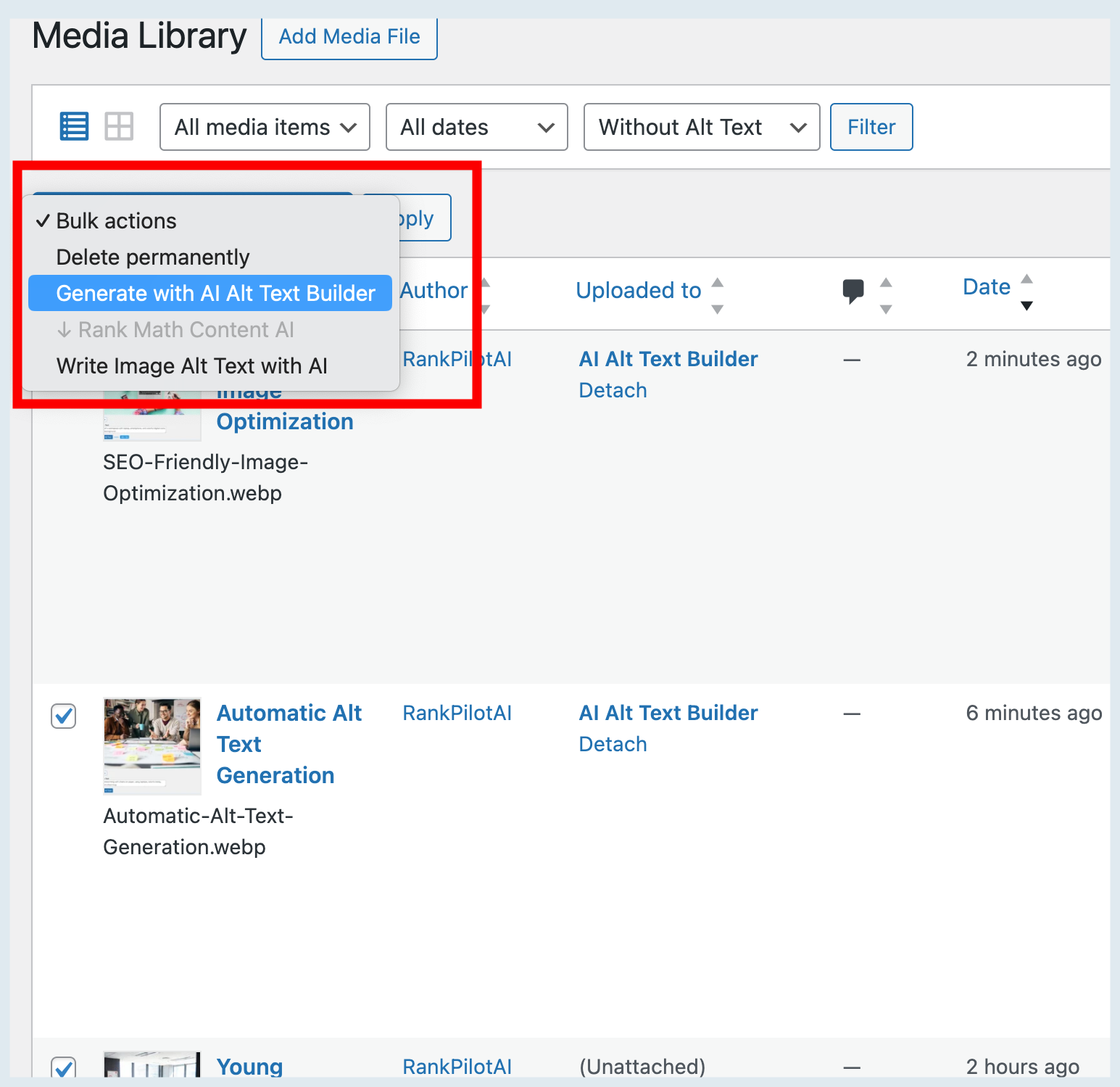
Yes, with Pro. Bulk generation works through your Media Library images in batches, and auto-generate fills in alt text for every new upload. The free trial and BYOK mode generate one image at a time.
Reviews


Contributors & Developers
“AI Alt Text Builder – Alt Text Generator for Image SEO & Accessibility” is open source software. The following people have contributed to this plugin.
Contributors
Interested in development?
Browse the code, check out the SVN repository, or subscribe to the development log by RSS.
Changelog
1.0.24
- Accessibility: on the institutional plan, the plan panel header now wraps, so the settings screen no longer scrolls sideways in a 320 px wide window (WCAG 1.4.10 Reflow).
- Own API key mode: the settings screen now says what Pro adds: it reads text inside images, writes in your language, and works in bulk and automatically on upload.
1.0.23
- New: activity log (AI Alt Text Builder > Activity log). It records who generated alt text, when, for which image and from which IP address, every bulk job and every image in it, and changes to the plugin settings (never the keys themselves). When the plugin replaces existing alt text, the entry keeps the previous text, so it can be put back. It can also record WordPress sign-ins, sign-outs and failed sign-ins. Entries stay in your own database, are kept for 365 days by default and can be exported as CSV.
- New: before a bulk job replaces existing alt text, the plugin asks for confirmation, saying how many of the selected images already have alt text and that the job uses tokens.
- New: institutional site keys. A key that starts with
rpedu_connects to that institution’s own RankPilotAI API atedu-<institution>.rankpilotai.cominstead of rankpilotai.com, and the settings screen shows the plan as Institutional. An institutional plan counts images, so every quality tier uses one image of the plan, and saving an institutional key removes any free trial token and OpenAI key stored on the site. Other site keys, the free trial and your own OpenAI key work as before. - Fix: a site key that fails its check when you save it no longer removes the key that was already saved.
- Fix: an unreadable answer from the RankPilotAI service no longer stops the settings screen with a critical error.
- Fix: the “Buy Tokens” links in the bulk notices pointed to your own site instead of rankpilotai.com.
- Accessibility: every field on the settings screen now has a label for screen readers, and its hint is linked to it. The quality tiers are grouped under their name, decorative icons are hidden from screen readers, the comparison table has row headers and says “Included” or “Not included” for screen readers, and the language names are marked with their language.
- Accessibility: text in the plugin’s screens meets at least 4.5:1 contrast (disabled controls excepted), including the success and error messages and the selected quality tier; form field borders and check marks meet at least 3:1. Locked Pro cards are no longer faded.
- Accessibility: keyboard focus is always visible, including on the quality tier cards, and stays on a button while it works (Generate, Start free trial, Save key); “Activating…” and “Saving…” are read out by screen readers. In the grid, focus moves to Stop when a bulk job starts and, when it ends, back to the button (or to the result line if nothing is left to generate), and Stop no longer loses focus on each progress update. The list view’s bulk result is read out by screen readers.
- Accessibility: the settings screen fits a 320 px wide window; the comparison table and the activity log table scroll inside their own box.
- Improved: the Custom directives field states its 1,500-character limit and stops there.
- Tested with axe-core 4.10.2 (WCAG 2.0, 2.1 and 2.2 A and AA rules) on all of the plugin’s screens, in each settings mode and after a generation, during and after bulk jobs and after errors, with no violations from the plugin; also with the keyboard alone and at 320 px width.
1.0.22
- Compatibility: the plugin now states PHP 8.0 as its minimum version, which its code has needed since 1.0.16. On PHP 7.4, WordPress now shows a clear “requires PHP 8.0” message instead of the plugin failing to load.
1.0.21
- Improved: bulk generation now goes image by image, three at a time, in the Media Library grid and list view, so the counter moves with every image (“1 / 3”, “2 / 3”) instead of jumping from 0 to the end.
- Improved: in the list view, Apply on “Generate with AI Alt Text Builder” starts at once with a progress bar and a Stop button, without reloading the page. Each row’s Alt Text label changes as its text arrives.
- Improved: when a bulk job ends, the images that got alt text are deselected (unticked in the list), so the button cannot be pressed for them again by mistake. Images that failed, or were not reached because of Stop, stay selected for another try.
- Improved: the list view’s alt text filter now uses the states of the Alt Text column: Missing, Too short, Good and Too long. It lists images only (a PDF or a video has no alt text) and has a label for screen readers.
- Fix: the Alternative Text box grows with its text. On WordPress 7, the last line of a typical alt text was cut off.
1.0.20
- Fix: in the Media Library grid, bulk generation could lose the new alt text of the last image you selected: when you left Bulk select, WordPress saved that image’s old, empty field back over it. Every generated alt text now stays.
- Fix: Stop now stops bulk generation, in the list view and in the grid. Before, a Stop pressed while images were being processed (or, in the grid, right after clicking Generate) was lost and the job ran to the end, using tokens for every selected image. Now only the images already in progress are finished.
- Fix: moving to another image while one image’s alt text was being generated, followed by a failed generation, removed that image’s previous alt text. It now stays.
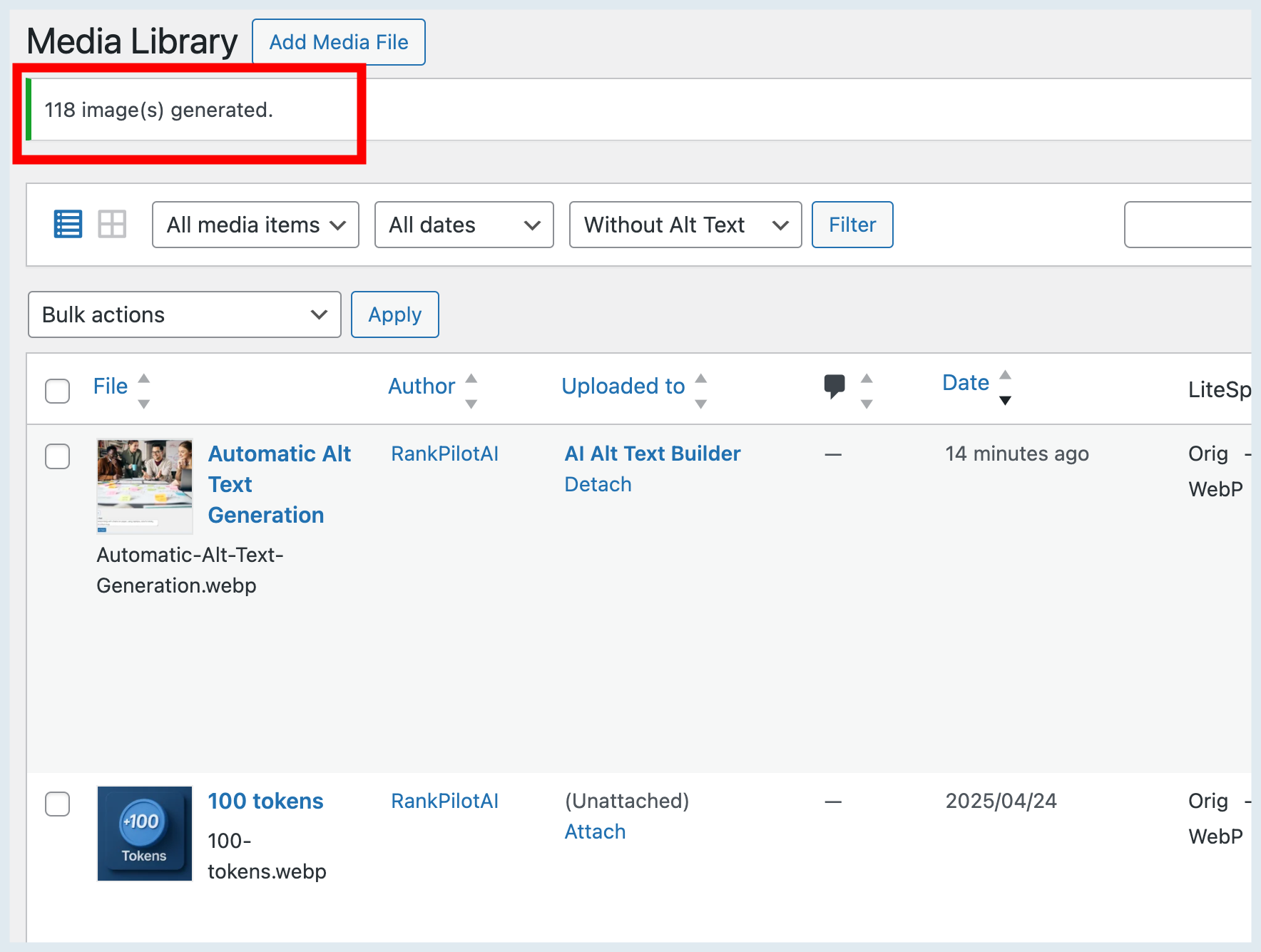
- Improved: the bulk result line is the same in the grid and the list view, with the right singular or plural (“1 alt text saved.”).
1.0.19
- Fix: in the Media Library grid, the result line next to “Generate alt text (N)” (for example “2 alt texts saved, 0 failed”) now lines up vertically with the toolbar buttons.
1.0.18
- New: the Generate button now also appears in the “Attachment details” window, which opens when you click an image in the Media Library grid or pick one in the editor’s media window. Before, it was only on the separate attachment edit screen.
- New: a “Generate alt text (N)” button in the Media Library grid view. Click Bulk select, pick images and generate alt text for all of them, with a progress bar and a Stop button. Before, bulk generation was only reachable from the list view’s Bulk actions menu.
- Improved: the Generate control now uses the standard WordPress button style. Clicking it clears the field and shows “Generating…” until the new alt text arrives; once an image has alt text, the button reads “Regenerate”. If generation fails, the previous text is put back.
- Improved: the “100 / 100” score is replaced by a clear label (Missing, Too short, Good, Too long) and a character count, in the field and in the Media Library column (now named “Alt Text”).
- Improved: a calmer settings screen in the WordPress admin style. The model cards now show the quality tiers (Economical, Balanced, Premium) with their token cost, the screen says which AI service generates the text, and Pro users no longer see the mode comparison table.
- Security: the site key is masked on the settings screen; “Change site key” opens an empty field instead of showing the current key.
- Accessibility: progress and result messages are announced to screen readers, and the settings screen buttons use the WordPress admin button styles with a visible keyboard focus.
- Security: generating alt text, for one image or in bulk, now also checks that the user may edit that specific image.
- Improved: the list view’s bulk progress now shows a progress bar, “Generating alt text for N images…” and a Stop button, and ends with one clear result message instead of “processed 0/0 – success 0, failed 0”.
- Fix: stopping a bulk job from the list view no longer stays on “cancelling…”.
1.0.17
- Fix: when the RankPilotAI API answered with a structured error object (for example
{"error":{"message":"..."}}) instead of a plain string, generating ALT text ended in a server error and the real reason never reached you. The message inside the object is now shown. This extends the 1.0.16 trial fix to the Site Key path. - Maintenance: replaced the deprecated
jQuery.trim()(removed in jQuery 4) in the ALT score badge with the nativeString.prototype.trim(). The score is calculated exactly as before. - Compatibility: verified on WordPress 7.1.3 with PHP 8.5. The official Plugin Check reports zero errors, and the Media Library (list and grid), the attachment and post editors and the settings screen load without a single PHP notice or deprecation.
1.0.16
- Fix: removed a PHP warning (“Undefined array key”) that the plugin raised every time WordPress built the attachment fields, which is on every media modal open. WordPress does not define an
htmlkey for the alternative text field, and the plugin appended to it without checking. On sites that display PHP notices, the warning could leak into the media modal response. - Hardening: if the trial API returns a structured error object instead of a string, the request no longer ends in a fatal error; the message is shown to you instead.
- Maintenance: the plugin now passes the official WordPress Plugin Check with zero errors. This covers output escaping, translator comments on every placeholder string, wp_parse_url(), and prepared uninstall queries. Where a check does not apply, the exemption is documented inline with its reason rather than left silent.
- Compatibility: verified on a real WordPress 7.1 install, including the Media Library list table, the media modal and the post editor.
1.0.15
- NEW: the Alt Score column in the Media Library is now sortable, as the description has always claimed. Empty ALT text sorts as 0, matching the badge.
- Fix: the “Generate with AI” button inside the media modal no longer appears without the script that powers it. The button used to render on any screen that opens the modal, while its JavaScript only loaded on the Media Library and attachment screens, so clicking it did nothing.
- Fix: files the vision models cannot read (SVG, HEIC, AVIF and similar) are now rejected up front with a clear message instead of consuming a token on a request that was going to fail. WordPress 7.1 lets the browser convert and generate files before upload, so the Media Library can hold more formats than before.
- Hardening: request values are unslashed before sanitizing, and the uninstall cleanup query is now prepared with esc_like().
- Compatibility: tested with WordPress 7.1.
1.0.14
- Maintenance: added the missing “Plugin URI” header and translated remaining inline code comments to English.
- Compatibility: re-verified with WordPress 7.0.
1.0.13
- Maintenance: routine housekeeping, minor code cleanup and performance tuning. No functional changes.
- Compatibility: re-verified with WordPress 7.0.
1.0.12
- Maintenance: minor polish, code cleanup and stability improvements. No functional changes.
- Compatibility: re-verified with WordPress 7.0.
1.0.11
- Maintenance: internal code cleanup and stability improvements. No functional changes.
- Compatibility: re-verified with WordPress 7.0.
1.0.10
- Compatibility: tested up to WordPress 7.0.
- Maintenance: minor housekeeping and copy cleanup. No functional changes.
1.0.9
- NEW: Three-mode system – Trial (25 free tokens), BYOK (your own OpenAI key), Pro (RankPilotAI).
- NEW: Plugin works immediately after install with zero-friction free trial.
- NEW: BYOK mode – unlimited single image generations using your own OpenAI API key.
- NEW: Auto-generate alt text on image upload (Pro feature).
- NEW: Redesigned settings page with mode selection, feature comparison table, and Pro feature indicators.
- Bulk generation and auto-generate are now Pro-only features.
- Score badge and column hidden in BYOK mode.
- Language and model selection locked to English/Mini in Trial and BYOK modes.
1.0.8
- Updated default AI model from GPT-4o-mini to GPT-4.1 Mini for improved quality and performance.
- Backward compatibility maintained — existing GPT-4o-mini selections are automatically migrated.
1.0.7
- UI: Redesigned settings page with modern card-based layout, gradient header, improved navigation and responsive design.
- UI: Settings header now displays the official AI Alt Text Builder logo.
- UI: Modernized admin CSS for generate button and score badges.
1.0.6
- Maintenance: minor version consistency updates and small documentation/copy cleanup. No functional changes.
1.0.5
- Maintenance: minor version consistency updates and small documentation/copy cleanup. No functional changes.
1.0.4
- Tested up to WordPress 6.9.
1.0.3
- New installs start with an empty Site Key field instead of a random generated key.
1.0.2
- Tweak: removed extra “View details” link on the Plugins screen and synced short description. No functional changes.
1.0.1
- Tweak: Updated short description and plugin listing copy. No functional changes.
1.0.0
- Initial public release: one-click ALT generation + “Alt Score” badge.
- Normalized usage overview: Remaining = Plan Limit − Global Usage (matches RankPilotAI account dashboard).
- Language selector and prompt improvements.
- New settings UI, bulk actions polish and sortable “Alt Score” column.
- Stability and compatibility tweaks on admin screens.