Description
The Easiest Way to Create & Sell Tickets with a Seating Chart in WordPress!
Are you trying to create a visual seating chart for an upcoming event? Building a custom venue map or an interactive floor plan in WordPress can be a challenge. Live Event Seating Lite is the ultimate solution. It provides a powerful, intuitive, drag-and-drop builder to create a detailed seating plan and now includes FREE WooCommerce integration for selling tickets!
Whether you are organizing a local concert, a church event, managing auditorium seating, mapping out stadiums, or handling table reservations for a gala or workshop, this seat booking system adapts perfectly to your venue.
🎥 See It In Action (Video Tutorials)
Want to see how easy it is to build a venue and sell tickets? Check out our quick video tutorials:
How to Create a Seating Chart
How to Connect Seats to WooCommerce
Advanced Venue Builder Features
🆓 Live Event Seating LITE (Free Version) – NEW FEATURES!
Now you can sell tickets directly from your seating chart with our built-in WooCommerce integration at NO extra cost!
Free Features Include:
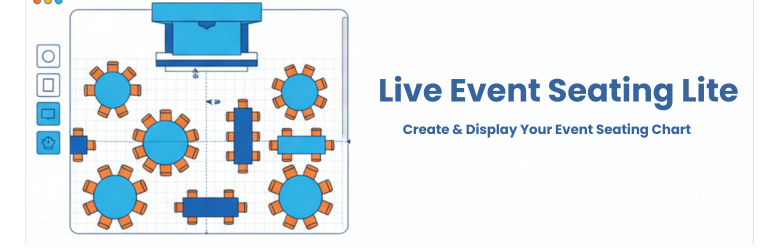
* Visual Drag & Drop Builder: Create your seating chart right inside the WordPress admin area.
* Multiple Elements: Add circular tables, rectangular tables, seat rows, stages, images, and freeform polygon shapes.
* WooCommerce Ticket Sales (NEW): Link variable price products to events to accept payments easily.
* Interactive Seat Selection: Customers can click seats and see real-time pricing based on your product variations.
* Shopping Cart Integration: Add selected seats to the WooCommerce cart and proceed directly to checkout.
* Detailed Cart Display: Shows specific seat information (table/seat number), event details, and pricing in the cart and checkout.
* 5-Minute Seat Locking: Seats are automatically locked for 5 minutes when added to the cart; changing to an orange “reserved” color to indicate they’re temporarily held. If the order is not completed, the seat is automatically released.
* Order Information Tracking: Comprehensive seat and event details (date, time, place) are automatically added to WooCommerce orders and displayed in admin order details, thank you pages, and email confirmations.
* Prevent Double-Bookings: Booked seats are marked as unavailable (gray color) to prevent overlapping sales.
* Multi-Level Pricing: Support for variable products with multiple price tiers (e.g., VIP, Standard, Economy).
* Intuitive Controls: Easily move, duplicate, and delete elements with smart snapping guides.
* Responsive Display: Use a simple shortcode [lesl_seating_plan id="YOUR_EVENT_ID"] to display your chart on any page or post.
🚀 Want Even More? Upgrade to Premium!
Our Premium versions include advanced features like QR code ticket scanning, complex multi-section venues, General Admission areas, and more!
🏆 Which Version is Right For You?
1. LITE VERSION (Free) – NEW!
Best for: Selling tickets with basic seating arrangements.
* Drag-and-drop visual builder
* WooCommerce ticket sales (NEW!)
* Seat selection and booking (NEW!)
* Display via shortcode
2. STARTER VERSION
Best for: A single venue or personal website (1 Website).
* 0% Ticket Fees: Keep 100% of your profits without paying third-party platform fees.
* Tiered Pricing: Charge different prices for VIP vs. Standard seats.
* Whole Table Booking: Allow corporate sponsors to buy a whole table with one click.
* Real-time Seat Summary: Live cart updating to prevent double-bookings.
* Advanced Builder Tools: Includes full Undo/Redo (Ctrl+Z), 360° rotation tools, curved seat rows, block/kill individual seats, and advanced alphabetic seat numbering.
* Pan & Zoom: Users can easily pan and zoom the displayed seating chart on any mobile device or desktop.
3. BASIC VERSION
Best for: Freelancers & agencies getting started (5 Websites).
* Includes all features from the Starter Version, expanded for use on up to 5 websites!
4. PRO VERSION
Best for: Power users, client work, and complex venues (Unlimited Websites).
* Everything in Starter & Basic, plus:
* QR Code Ticket Scanner: Scan tickets at the door using any smartphone camera for fast check-ins.
* Sections Mode: Build complex venues with multiple sections (Balconies, Orchestra pits, etc.).
* General Admission (GA) Areas: Sell standing-room or unreserved area tickets.
* Booking Manager: Centralized dashboard to view and manage all attendees.
* Import/Export Layouts (JSON): Save your venue as a template for future events.
* Calendar Integration: Native, seamless integration with The Events Calendar and Events Manager plugins.
* Countdown Timer: Seat lock timer displays directly in the cart and checkout page.
* Advanced Ticket Templates: Advance Ticket Customizer using a drag-and-drop builder.
* Premium Support.
🏆 Feature Comparison: Lite vs Premium
Wondering which version is right for you? Here is a quick breakdown:
👉 Compare All Premium Features Here!
Screenshots

Lite vs Pro version feature comparison. 
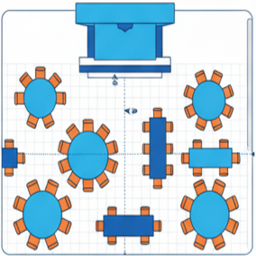
Create a venue floor plan using the intuitive drag-and-drop seating chart builder. 
Customize table reservations, stages, and seat bookings easily in the editor. 
[PREMIUM] Frontend interactive seat selection and booking for your event attendees. 
[PREMIUM] Link your seating map to WooCommerce products with Tiered Pricing. 
[PRO] Build complex auditorium and stadium layouts with Sections Mode and General Admission (GA) areas. 
[PREMIUM] Automated email ticket delivery featuring scannable QR Codes. 
[PRO] Built-in QR Code ticket scanner for fast event-day attendee check-ins. 
[PRO] Real-time Seat Lock countdown timer displayed on the WooCommerce cart and checkout pages. 
[PRO] Ticket customizer using an advanced drag-and-drop visual builder.
Installation
- Upload the
live-event-seating-litefolder to the/wp-content/plugins/directory. - Activate the plugin through the ‘Plugins’ menu in WordPress.
- Go to Seating Charts > Add New.
- Use the “Seating Plan Builder” to create your chart.
- Copy the shortcode from the “Event Seating Settings” box.
- Paste the shortcode into any page or post to display your seating chart.
FAQ
-
How do I create a seating chart in WordPress?
-
You can easily create a custom seating chart using our visual drag-and-drop builder. Simply go to Seating Charts > Add New, drag tables, rows, or sections onto your canvas, and publish your venue map via shortcode on any page.
-
Can I sell tickets and accept payments with the free Lite version?
-
Yes! We recently added built-in WooCommerce integration to the free version. Your customers can select their seats from your chart, add them to their cart, and securely check out using your WooCommerce payment gateways.
-
Does this plugin take a percentage of my ticket sales?
-
Absolutely not! Unlike third-party platforms like Eventbrite or Ticketmaster, we charge 0% per-ticket commission. With the free version or our Premium flat-fee licenses, you keep 100% of your ticket revenue.
-
Do I need WooCommerce installed?
-
Yes, to sell tickets you must have the free WooCommerce plugin installed. Our plugin acts as a bridge, mapping your visual seating plan to WooCommerce products for a secure checkout experience.
-
How do I scan tickets at the door?
-
The Pro version includes a built-in QR Code generation and scanning system. Every customer gets a unique QR code on their ticket. Your staff can use any smartphone camera logged into your WordPress admin to scan the ticket and check them in instantly!
-
Does this work with The Events Calendar?
-
Yes! The Pro version features native, seamless integration with The Events Calendar and Events Manager, allowing you to attach seating charts directly to your existing calendar events.
Reviews


Contributors & Developers
“Live Event Seating Lite – Seating Chart, Floor Plan & Ticket Sales” is open source software. The following people have contributed to this plugin.
Contributors
“Live Event Seating Lite – Seating Chart, Floor Plan & Ticket Sales” has been translated into 1 locale. Thank you to the translators for their contributions.
Translate “Live Event Seating Lite – Seating Chart, Floor Plan & Ticket Sales” into your language.
Interested in development?
Browse the code, check out the SVN repository, or subscribe to the development log by RSS.